
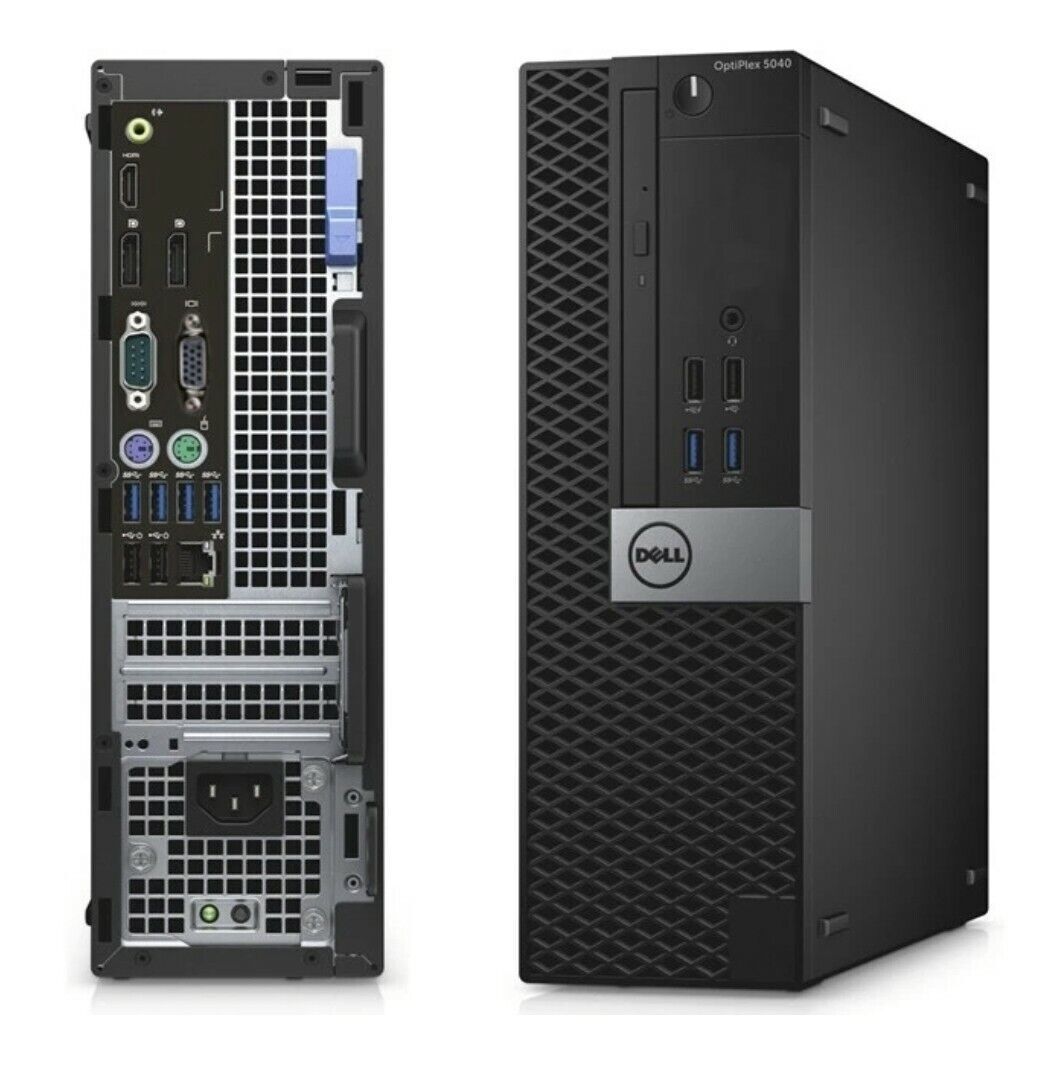
DELL OptiPlex Desktop Computer i5-6500 8GB RAM 1TB NVMe SSD Win10 Pro
$ 135.83
Sold out
FEATURESPECIFICATIONProcessor type6th Generation Intel Core i3/i5/i7 seriesTotal
cacheUp to 8 MB cache depending on processor typeTable 2. Memory.FEATURESPECIFICATIONTypeDDR3LSpeed1600 MHzConnectorsFour UDIMM slotsMemory modulecapacity4 GB and 8 GBMinimum memory4 GBMaximum memory16 GB
•
• NOTE: Each UDIMM slot supports
• a minimum of 4 GB and a maximum of 8 GB.Table 3. Video.FEATURESPECIFICATIONIntegratedIntel HD Graphics 530 / 510DiscretePCI Express x16 graphics adapterTable 4. Audio.FEATURESPECIFICATIONIntegratedTwo channel High Definition AudioTable 5. Network.FEATURESPECIFICATIONIntegratedIntel 219–V Ethernet capable of 10/100/1000 Mb/scommunicationTable 6. System information .FEATURESPECIFICATIONSystem chipsetIntel 100 series, Q170Interrupt levelsIntegrated I/O APIC capability with 24 interruptsBIOS chip (NVRAM)16 MBTable 7. Expansion bus .FEATURESPECIFICATIONBus typePCIe gen3 , USB 2.0, and USB 3.0Bus speedPCI Express:
• x1 slot each direction speed– up to 985 MB/s
• x4 slot each direction speed- up to 3.94 GB/s
• x16-slot each direction speed–16 GB/s SATA: 1.5 Gbps, 3.0 Gbps, and 6 GbpsTable 8. Cards .FEATURESPECIFICATIONPCIOne full-height cardPCI Express x1One full-height cardPCI Express x16Up to two full-height cardsTable 9. Drives.FEATURESPECIFICATIONExternally accessible(5.25-inch drive bays)Two Table 10. External connectors.FEATURE
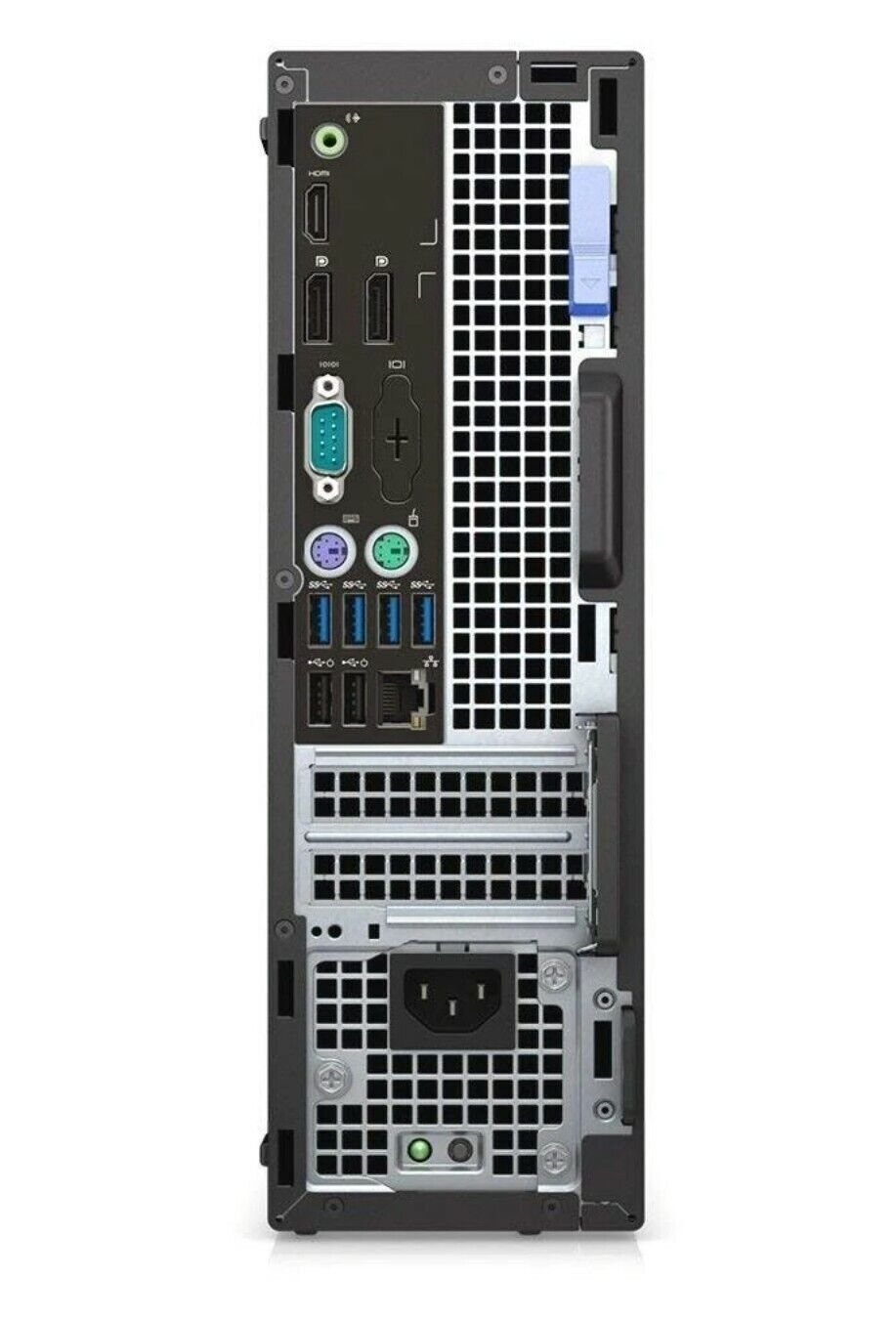
• SPECIFICATIONAudio Front panelUniversal Audio Jack Back panelLine-out connectorNetwork adapterRJ–45 connectorSerial9-pin connector; 16550 C compatibleParallel25-pin connector (optional)USB 2.0Front panel: two
• Back panel: two
• USB 3.0Front panel: two
• Back panel: four
• Video19-pin HDMI connector
• Two 20-pin DisplayPort connectors
• 15-pin VGA connector (optional)
•
• NOTE: Available
• video connectors may vary based on the graphics card selected.Keyboard and mouseBack panel:
• PS2 Keyboard 6-pin connector
• PS2 Mouse 6-pin connectorTable 11. Internal connectors .FEATURE SPECIFICATIONPCI 2.3 datawidth (maximum) — 32 bits120-pin connectorPCI Express x1data width (maximum) — one PCI Express lane36-pin connectorPCI Express x16(wired as x4) data width (maximum) — four PCI Express lanes164-pin connectorPCI Express x16data width (maximum) — 16 PCI Express lanes164-pin connectorSerial ATAFour Four 7-pin connectorsMemoryFour 240-pin connectorsInternal USB10-pin connectorSystem Fan4-pin connectorSSDM.2 22x80 socket3Front panel control5-pin connectorProcessor1151-pin connectorProcessor Fan4-pin connectorService modejumper2-pin connectorPassword clearjumper2-pin connectorRTC reset jumper2-pin connectorInternal speaker4-pin connectorIntruder connector3-pin connectorPower connectorOne 8-pin(for PSU), one 4-pin(for CPU), one 8-pinfor SATA powerTable 12. Controls andlights.FEATURE SPECIFICATIONFront of the computer Power button lightWhite light — Solid white light indicates power-onstate; blinking white light indicates sleep state of the computer. Drive activity lightWhite light — Blinking white light indicates thatthe computer is reading data from or writing data to the hard drive.
• Back of the computer Link integrity light on integrated network adapterGreen — a 10 Mbps connection exists between the network
• and the computer.
• Green — a 100 Mbps connection exists between the
• network and the computer.
• Orange — a 1000 Mbps connection exists between the
• network and the computer.
• Off (no light) — the computer is not detecting a physical
• connection to the network. Network activity light on integrated network adapterYellow light — A blinking yellow light indicatesthat network activity is present. Power supply diagnostic lightGreen light — The power supply is turned on andis functional. The power cable must be connected to the power connector(at the back of the computer) and the electrical outlet.Table 13. Power.
•
• NOTE: HEAT DISSIPATION IS
• CALCULATED BY USING THE POWER SUPPLY WATTAGE RATING.POWERWATTAGEMAXIMUM HEAT DISSIPATIONVOLTAGE 240 W819.00 BTU/hr100 VAC to 240 VAC, 50 Hz to 60 Hz, 4A/2ACoin cell battery3 V CR2032 lithium coin cellTable 14. Physical dimension.PHYSICAL DIMENSIONSSPECIFICATIONHeight350.00 mm (13.77 inches)Width154.00 mm (6.06 inches)Depth274.00 mm (10.78 inches)Weight8.00 kg (17.64 lb)Table 15. Environmental.FEATURESPECIFICATIONTemperature range Operating5°C to 35°C (41°F to 95°F) Storage–40°C to 65°C (–40°F to 149°F)Relative humidity(maximum) Operating20 percent to 80 percent (non-condensing) Storage5 percent to 95 percent (non-condensing)Maximum vibration Operating0.26 Grms Storage2.20 GrmsMaximum shock Operating40 G Storage105 GAltitude: Operating–15.2 m to3048 m (–50 to10,000 ft) Storage–15.20 m to 10,668 m (–50 ft to 35,000 ft) Airborne contaminant levelG1 or lower as defined by ANSI/ISA-S71.04-1985
cacheUp to 8 MB cache depending on processor typeTable 2. Memory.FEATURESPECIFICATIONTypeDDR3LSpeed1600 MHzConnectorsFour UDIMM slotsMemory modulecapacity4 GB and 8 GBMinimum memory4 GBMaximum memory16 GB
•
• NOTE: Each UDIMM slot supports
• a minimum of 4 GB and a maximum of 8 GB.Table 3. Video.FEATURESPECIFICATIONIntegratedIntel HD Graphics 530 / 510DiscretePCI Express x16 graphics adapterTable 4. Audio.FEATURESPECIFICATIONIntegratedTwo channel High Definition AudioTable 5. Network.FEATURESPECIFICATIONIntegratedIntel 219–V Ethernet capable of 10/100/1000 Mb/scommunicationTable 6. System information .FEATURESPECIFICATIONSystem chipsetIntel 100 series, Q170Interrupt levelsIntegrated I/O APIC capability with 24 interruptsBIOS chip (NVRAM)16 MBTable 7. Expansion bus .FEATURESPECIFICATIONBus typePCIe gen3 , USB 2.0, and USB 3.0Bus speedPCI Express:
• x1 slot each direction speed– up to 985 MB/s
• x4 slot each direction speed- up to 3.94 GB/s
• x16-slot each direction speed–16 GB/s SATA: 1.5 Gbps, 3.0 Gbps, and 6 GbpsTable 8. Cards .FEATURESPECIFICATIONPCIOne full-height cardPCI Express x1One full-height cardPCI Express x16Up to two full-height cardsTable 9. Drives.FEATURESPECIFICATIONExternally accessible(5.25-inch drive bays)Two Table 10. External connectors.FEATURE
• SPECIFICATIONAudio Front panelUniversal Audio Jack Back panelLine-out connectorNetwork adapterRJ–45 connectorSerial9-pin connector; 16550 C compatibleParallel25-pin connector (optional)USB 2.0Front panel: two
• Back panel: two
• USB 3.0Front panel: two
• Back panel: four
• Video19-pin HDMI connector
• Two 20-pin DisplayPort connectors
• 15-pin VGA connector (optional)
•
• NOTE: Available
• video connectors may vary based on the graphics card selected.Keyboard and mouseBack panel:
• PS2 Keyboard 6-pin connector
• PS2 Mouse 6-pin connectorTable 11. Internal connectors .FEATURE SPECIFICATIONPCI 2.3 datawidth (maximum) — 32 bits120-pin connectorPCI Express x1data width (maximum) — one PCI Express lane36-pin connectorPCI Express x16(wired as x4) data width (maximum) — four PCI Express lanes164-pin connectorPCI Express x16data width (maximum) — 16 PCI Express lanes164-pin connectorSerial ATAFour Four 7-pin connectorsMemoryFour 240-pin connectorsInternal USB10-pin connectorSystem Fan4-pin connectorSSDM.2 22x80 socket3Front panel control5-pin connectorProcessor1151-pin connectorProcessor Fan4-pin connectorService modejumper2-pin connectorPassword clearjumper2-pin connectorRTC reset jumper2-pin connectorInternal speaker4-pin connectorIntruder connector3-pin connectorPower connectorOne 8-pin(for PSU), one 4-pin(for CPU), one 8-pinfor SATA powerTable 12. Controls andlights.FEATURE SPECIFICATIONFront of the computer Power button lightWhite light — Solid white light indicates power-onstate; blinking white light indicates sleep state of the computer. Drive activity lightWhite light — Blinking white light indicates thatthe computer is reading data from or writing data to the hard drive.
• Back of the computer Link integrity light on integrated network adapterGreen — a 10 Mbps connection exists between the network
• and the computer.
• Green — a 100 Mbps connection exists between the
• network and the computer.
• Orange — a 1000 Mbps connection exists between the
• network and the computer.
• Off (no light) — the computer is not detecting a physical
• connection to the network. Network activity light on integrated network adapterYellow light — A blinking yellow light indicatesthat network activity is present. Power supply diagnostic lightGreen light — The power supply is turned on andis functional. The power cable must be connected to the power connector(at the back of the computer) and the electrical outlet.Table 13. Power.
•
• NOTE: HEAT DISSIPATION IS
• CALCULATED BY USING THE POWER SUPPLY WATTAGE RATING.POWERWATTAGEMAXIMUM HEAT DISSIPATIONVOLTAGE 240 W819.00 BTU/hr100 VAC to 240 VAC, 50 Hz to 60 Hz, 4A/2ACoin cell battery3 V CR2032 lithium coin cellTable 14. Physical dimension.PHYSICAL DIMENSIONSSPECIFICATIONHeight350.00 mm (13.77 inches)Width154.00 mm (6.06 inches)Depth274.00 mm (10.78 inches)Weight8.00 kg (17.64 lb)Table 15. Environmental.FEATURESPECIFICATIONTemperature range Operating5°C to 35°C (41°F to 95°F) Storage–40°C to 65°C (–40°F to 149°F)Relative humidity(maximum) Operating20 percent to 80 percent (non-condensing) Storage5 percent to 95 percent (non-condensing)Maximum vibration Operating0.26 Grms Storage2.20 GrmsMaximum shock Operating40 G Storage105 GAltitude: Operating–15.2 m to3048 m (–50 to10,000 ft) Storage–15.20 m to 10,668 m (–50 ft to 35,000 ft) Airborne contaminant levelG1 or lower as defined by ANSI/ISA-S71.04-1985